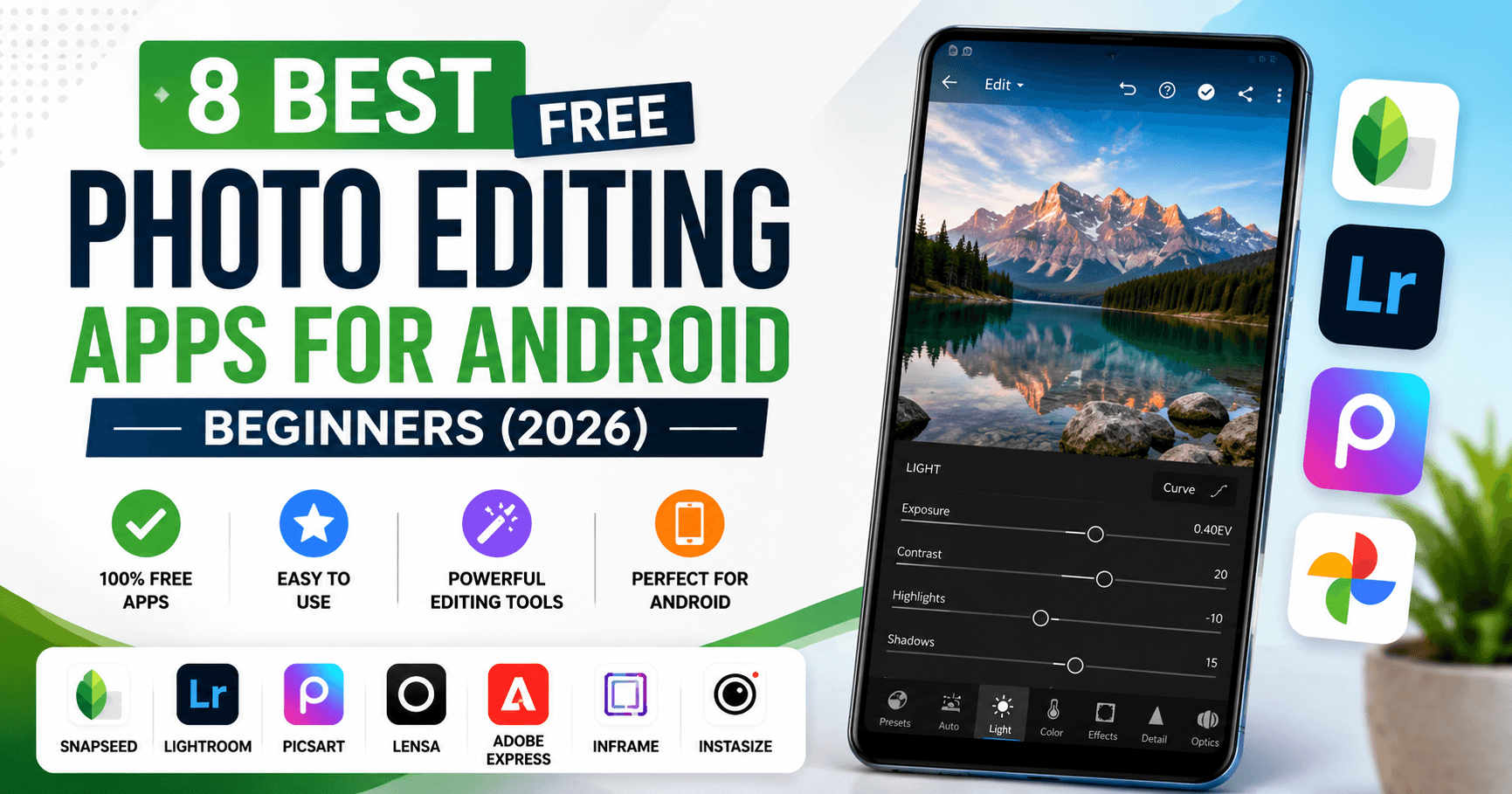
Finding genuinely good free photo editing apps for Android is harder than it looks—the Play Store has hundreds of options, but most are buried under ads, watermarks, or paywalls that only reveal themselves after you have already spent twenty minutes learning the interface.
We tested and fact-checked eight of the most-recommended apps in July 2026 to save you that trouble. Every feature listed in this guide is live and verified. Where something has changed since earlier reviews, we make that clear.
Whether you are a complete beginner who just wants brighter photos, a content creator who needs Instagram-ready edits, or someone who shoots RAW and wants serious color control—these free photo editing apps for Android have you covered without costing you anything to get started.
Best Free Photo Editing Apps for Android: Quick Comparison
Not sure where to start? This table gives you the full picture before you read a single review.
| App | Price | RAW Support | AI Tools | Watermark? | Best For |
|---|---|---|---|---|---|
| Snapseed | Free | ✔ Yes | ✔ Yes | ✘ Never | Professional editing |
| Adobe Lightroom | Free / Paid | ✔ Yes | ✔ Yes | ✘ No | Color accuracy |
| PicsArt | Free / Paid | ✘ No | ✔✔ Strong | ⚠ AI features | Social media |
| Lensa | Limited free | ✘ No | ✔✔ Strong | ⚠ Avatars | Portraits & selfies |
| Adobe Express | Free / Paid | ✘ No | ✔ Yes | ✘ No | Graphics & templates |
| Google Photos | Free | ✘ No | ✔ Yes | ✘ Never | Everyday quick edits |
| InFrame | Free / Paid | ✘ No | ✘ Basic | ✘ No | Instagram posts |
| Instasize | Free / Paid | ✘ No | ✔ Yes | ✘ No | Filters & resizing |
⚠ = watermark appears only on certain premium AI features in the free tier
What to Look for in Free Photo Editing Apps for Android
Before diving into the reviews, here is what actually matters when choosing a free photo editor for Android—especially if you are just getting started.
- No hidden watermarks: Some apps only show the watermark after you try to save. Check before committing.
- Useful free tier: A free version that only lets you apply one filter is not really free. Look for apps where the core editing tools work without a subscription.
- Performance on your device: Heavy AI features can lag on older Android phones. We note where processing speed is a concern.
- Honest pricing: The best apps label paid features clearly rather than hiding them behind confusing menus.
- Regular updates: An app that has not been updated in a year may have compatibility issues with newer Android versions.
All eight free photo editing apps for Android below meet most or all of these criteria. Where they fall short, we say so.
1. Snapseed—Best Free Android Photo Editor Overall
If you install only one photo-editing app on your Android phone, make it Snapseed. Developed by Google, it has been the gold standard for free mobile editing for years—and the 2026 version is the best it has ever been.
The May 2026 update brought Snapseed 4.0 to Android, finally matching the iOS version. It added tools that were previously only available in paid apps: batch editing, smart masking, a built-in camera with film simulations, and more. And it is still completely free, with no ads and no watermark—which almost no other app on this list can say.
The only real learning curve is the gesture-based interface—swiping left and right to adjust sliders feels unusual at first, but most people pick it up within a session or two.
Key Features
- Professional editing tools: Adjust, Curves, White Balance, Perspective, and more
- Selective editing: Adjust specific areas of a photo without affecting the rest
- Healing tool: Remove unwanted objects from photos
- Full RAW support: Edit RAW files from any Android camera
- NEW — Smart Masking: One-tap subject or background selection
- NEW — Batch Editing: Apply the same edits to multiple photos at once
- NEW—Snapseed Camera: Capture photos directly in film simulations or custom looks
- NEW — Bloom, Halation, Color HSL, Dehaze: Cinematic and film-style creative tools
- Improved Portrait tool: Individual face detection for group photos
✔ Pros
- 100% free—no ads, no subscription, no watermark on any export
- Batch editing now available
- RAW photo support at no cost
- Two major updates in under 12 months
- Works offline—no internet required
✘ Cons
- A gesture-based interface has a short learning curve
- No desktop version—mobile only
Best For: Anyone who wants professional-quality editing for free. If you shoot RAW, want batch editing, or just want a powerful editor with zero catches, Snapseed is the answer.
🟢 Beginner Tip: Start with the Tune Image tool to adjust brightness, contrast, and saturation. Once comfortable, try the selection tool to brighten just one part of a photo. Those two tools alone will improve most photos significantly.
2. Adobe Lightroom—Best Free Android Photo Editor for Color and Photography
Adobe Lightroom is what professional photographers use on desktop—and the free Android version gives you most of the same color controls in a remarkably clean mobile interface.
The strength here is color accuracy. No other free app comes close to Lightroom’s tone curves, HSL sliders, and color grading tools for getting a photo to look exactly the way you want it. The free tier is genuinely useful, though Adobe has moved some tools—healing brush, advanced masking, geometry corrections, and batch editing—behind the Creative Cloud paywall.
Key Features
- Professional color grading: Full tone curves, HSL, and color mixer
- Presets: One-tap edits, including AI-assisted Quick Actions
- Generative Remove: AI-powered object removal (Premium)
- Cloud syncing: Edit on your phone, access on desktop
- RAW editing: Full RAW support with a dedicated Develop module
✔ Pros
- Industry-standard color correction
- The free tier covers basic editing, organization, and presets
- Seamless sync across Android, iOS, desktop, and web
- Great on larger Android tablets
✘ Cons
- Healing brush, masking, geometry tools, and batch editing require paid Creative Cloud
- Requires an Adobe account even for the free version
- Heavier on storage and battery than lighter apps
Best For: Content creators, photographers, and anyone who cares about precise color editing across a large photo library.
🟢 Beginner Tip: Start with the presets—scroll through the built-in options and tap one that suits your photo. Then use the light sliders to fine-tune exposure and shadows. You do not need to touch the curves until you are more comfortable.
3. PicsArt — Best Free Android Photo Editor for Social Media Creators
PicsArt is the most feature-rich creative app on this list, and it is not particularly close. Over the past year, it has evolved from a popular social photo editor into a full AI creative platform—one that can generate images from text, replace objects in photos, animate stills into video, and now even take instructions by voice through its new Aura assistant.
The catch is that the best features sit behind a Gold subscription. The free version still has a lot to offer—basic editing, stickers, collages, and templates—but you will hit a paywall quickly if you want unlimited AI tools.
Key Features
- AI Replace: Brush over any object and describe what to put in its place
- Background Remover: One-tap subject isolation, used in 700M+ edits
- AI Image Generator: Create original images from a text description
- Object Remover: Erase distractions with brush, text-detection, or AI selection
- Thousands of stickers, templates, and collage layouts
- NEW — Aura AI Assistant: Voice or text conversation to create, edit, and generate images and video. Learns your style over time
- NEW — AI Agent Marketplace: Specialized agents including Flair (Shopify), Resize Pro, Remix, and Swap
✔ Pros
- Widest collection of AI tools in any single free Android app
- Aura makes complex edits as easy as a voice or text message
- Perfect for Instagram, YouTube thumbnails, and social content
- Regular updates—new features almost every month
✘ Cons
- Ads appear frequently in the free version
- AI Replace, unlimited Background Remover, and AI Image Generator require a Gold subscription
- The interface can feel overwhelming for complete beginners on first use
Best For: Social media creators, YouTubers, bloggers, and small business owners who produce a lot of visual content and want AI assistance built into their workflow.
🟢 Beginner Tip: Ignore the AI tools on your first session and start with the Adjust and Effects panels. Once you have edited five or six photos the basic way, you will know exactly which AI tools to try next.
4. Lensa—Best Free Android Photo Editor for Selfies and AI Portraits
Lensa does one thing better than almost any other app on Android: it makes portraits look genuinely good without looking over-edited. The skin smoothing is natural, the lighting corrections are subtle, and the results consistently look like something a professional retoucher produced.
The Magic Avatars feature is still the app’s signature draw, and it keeps improving. The biggest update in 2026 is that you no longer need to upload 10 to 20 selfies to generate avatars — a single photo now works, which removes the biggest frustration most people had with the feature.
The honest downside is the pricing. Lensa’s free version is essentially a demo. Most of the AI features cost money, and avatar packs are sold separately on top of the subscription.
Key Features
- AI Portrait Enhancement: Natural skin smoothing, blemish removal, eye enhancement, lighting correction
- Magic Avatars: Generate artistic AI avatars across styles like anime, sci-fi, old money, and kawaii
- NEW—Single-photo avatars: One selfie is now enough—no more uploading 20 photos
- NEW — Couple Avatars: Generate stylized images with a partner
- Background blur (AI bokeh) and one-tap background removal
- Trendy filters: Old Money, Hollywood, Film, Kawaii, Iridescent
✔ Pros
- Best natural-looking portrait retouching on this list
- Single-photo avatar mode removes the biggest barrier
- Regular style updates—new avatar aesthetics added frequently
- Simple interface—no learning curve
✘ Cons
- The free version is very limited—most AI features require payment
- Avatar packs are priced separately from the subscription
- Some avatar results have distorted features or do not resemble the subject
Best For: Selfie enthusiasts, influencers, and anyone who wants AI-generated profile pictures and avatar art. Not the right choice if you need general photo editing tools.
🟢 Beginner Tip: Try the portrait mode first—it is available in the free version and gives you a good sense of the app’s quality before you decide whether to pay for avatars.
5. Adobe Express—Best Free Android Photo Editor for Quick Graphics
Adobe Express is the easiest app on this list to use from day one. It is designed for people who want a polished result without learning anything complicated—and it delivers on that promise better than any other Adobe product.
The Auto Enhance button is genuinely impressive. Tap it, and the app intelligently adjusts brightness, contrast, color, and sharpness based on the content of your specific photo. For most social media images, it gets the result right on the first attempt.
Key Features
- Auto Enhance: One-tap brightness, contrast, color, and sharpness improvement
- AI Background Remover: Accurate subject isolation, available free
- AI Background Changer: Replace backgrounds with Adobe Stock images or custom uploads
- AI Image Generation: Create original images from text using Adobe Firefly (commercially licensed)
- Generative Fill: Add, replace, or extend image areas using natural language (Premium)
- Ready-made templates: Instagram posts, Stories, YouTube thumbnails, Facebook banners, and more
- NEW—Firefly AI Assistant (April 2026): Describe what you want in plain English, and the assistant orchestrates edits across Adobe apps
✔ Pros
- Easiest app on this list for complete beginners
- Background removal is free and works well
- AI content via Firefly is commercially safe—trained on licensed images
- Works on Android, iOS, and web
✘ Cons
- Generative Fill and video tools require a Creative Cloud subscription
- All AI features require an internet connection
- AI image generation uses credits—heavy users will run out on the free tier
Best For: Students, bloggers, marketers, and small business owners who create social media posts and promotional images regularly.
🟢 Beginner Tip: Start with a template. Pick one that matches your use case—Instagram post, YouTube thumbnail, or whatever—and customize the text and image. You will have something publish-ready in under three minutes.
If watermark-free exports are important to you, see our guide to the Best Photo Editing Apps Without Watermark.
6. Google Photos — Best Free Android Photo Editor Already on Your Phone
Most people reading this already have Google Photos installed and do not realize it includes a capable photo editor. For quick, everyday improvements—brightness, cropping, color, removing a photobomber—it is one of the fastest and least fussy options available.
The biggest news for 2026 is that Google opened up its best editing tools to everyone. Magic Eraser, Photo Unblur, and Portrait Light used to be exclusive to Pixel phones or Google One subscribers. As of May 15, 2026, all three are completely free for every Android and iOS user. This is a significant change that most older reviews still get wrong.
Key Features
- AI Auto Enhance: One-tap brightness, contrast, colour, and sharpness
- Magic Eraser — NOW FREE FOR ALL: Remove unwanted objects and people from photos with one tap
- Photo Unblur—NOW FREE FOR ALL: Sharpen blurry or slightly out-of-focus photos
- Portrait Light — NOW FREE FOR ALL: Adjust lighting direction and intensity in portrait photos
- Magic Editor: Free for up to 10 generative AI edits per month; unlimited on Pixel or Google One Premium (2TB+)
- Crop, rotate, color adjustments, and built-in filters
- Cloud backup: Free up to 15GB of shared Google storage
✔ Pros
- Already installed on most Android phones—nothing to download
- Magic Eraser, Photo Unblur, and Portrait Light are now free for everyone
- Fastest and simplest editing experience on this list
- Works offline for basic adjustments
✘ Cons
- Best Take and Audio Magic Eraser (for video) remain Pixel-exclusive
- Magic Editor capped at 10 free edits per month
- Fewer advanced tools than dedicated editors like Snapseed or Lightroom
Best For: Everyday users who want to quickly fix a photo without installing anything extra. Also great as a second app alongside a more powerful editor.
🟢 Beginner Tip: Tap the three-dot Edit button on any photo and hit Auto. If it looks good, save. The Magic Eraser works on anything that looks slightly out of place—try it on a distracting background object.
7. InFrame—Best Free Android Photo Editor for Instagram and Social Posting
InFrame does not try to be a professional photo editor. It tries to be the fastest, easiest way to get a photo ready for Instagram, Facebook, or TikTok—and at that specific job, it is one of the best free options available.
The killer feature is the aspect ratio presets. InFrame knows the exact dimensions for Instagram Square, Instagram Story, TikTok, YouTube Thumbnail, and more. You just pick your destination platform, and your photo fits perfectly, with blur, color, or solid fill options to handle the space around it.
Key Features
- Social media aspect ratios: 1:1, 9:16, 16:9, 4:5, and more—pre-sized for every platform
- Frames: Hundreds of stylish frames for travel, food, holidays, and more
- Blur and colour backgrounds: Fill space around your photo naturally
- Filters and effects: Wide range of one-tap filters
- Collage maker: Up to nine photos per layout
- Text editor and stickers
✔ Pros
- Fastest way to fit any photo into any social media format
- Collage maker is simple and flexible
- Frequent small updates—new frames added regularly
- Very easy to learn—almost no setup required
✘ Cons
- Advertisements in the free version
- Limited editing tools beyond frames, filters, and cropping
- Not suitable for serious photo editing or RAW files
Best For: Instagram creators, bloggers, and content creators who post frequently and need photos sized and framed quickly.
🟢 Beginner Tip: Select your platform first, then import the photo. InFrame will automatically frame it correctly. For Instagram, the 1:1 square preset with a blurred background fill is the most versatile starting point.
If watermark-free exports are important to you, see our guide to the Best Photo Editing Apps Without Watermark.
8. Instasize — Best Free Android Photo Editing App for Instagram and Social Posting
Instasize started as a simple tool for resizing photos without cropping them. In 2026, it is considerably more than that. The filter library has grown to over 130 options, and a wave of AI tools added in 2025 and 2026—Magic Fill, text-prompt object removal, a 4K upscaler, and image-to-video animation—have pushed it into territory that used to belong to much bigger apps.
Key Features
- Over 130 filters: For both photos and video
- Image resizing: Presets for Instagram, TikTok, Pinterest, Facebook, and more
- Background Remover and AI Background Changer
- NEW — Magic Fill: Expand or uncrop an image using AI-generated pixels
- NEW — AI Object Removal: Describe what to remove in a text prompt, and the AI erases it
- NEW — Image Upscaler: Enhance resolution up to 4K with genuine detail added
- NEW—Image-to-Video: Turn still photos into short animated clips
- AI Photo Restoration and Colorization: Restore and colorize old photos
✔ Pros
- Best filter selection on this list at 130+ options
- Magic Fill and AI Object Removal rival features in much larger apps
- Fast resizing presets save time for regular social media posters
- Clean, easy-to-navigate interface
✘ Cons
- Magic Fill, unlimited AI object removal, and most filters require premium
- The free version is noticeably limited compared to Snapseed or Google Photos
Best For: Regular social media users who post to Instagram, Pinterest, Facebook, and TikTok and want a reliable filter library and fast resizing tools in one place.
🟢 Beginner Tip: The free filter selection is still useful—browse through and apply one at around 60 to 70 percent intensity for a natural look. Full-strength filters tend to look overdone on most photos.
Quick Recommendation Guide for all photo editing apps
Still not sure which app to pick? Here is the simplest possible guide based on what you actually want to do:
- Best Overall (free, powerful, no catches): Snapseed
- Best for Color and Photography: Adobe Lightroom
- Best for AI Editing and Creative Tools: PicsArt
- Best for Selfies and Portraits: Lensa
- Best for Quick Graphics and Templates: Adobe Express
- Best for Everyday Edits (already on your phone): Google Photos
- Best for Instagram Posts: InFrame
- Best for Filters and Resizing: Instasize
If you are a complete beginner, start with Google Photos (already installed) or Snapseed (free download, no ads). Both are forgiving, fast, and do not require a subscription for anything useful.
How We Selected These Apps from All These 8 Photo Editing Apps
With hundreds of free photo editing apps for Android on the Google Play Store, we used a clear set of criteria to narrow this list to the eight most useful options for beginners and everyday users.
Every app was evaluated on:
- Whether core editing tools are genuinely available for free, not just locked previews
- Watermark policy on free exports
- AI editing accuracy and quality on standard Android devices
- Interface clarity for users who have never edited a photo before
- Processing speed and reliability across device generations
- Update frequency and developer responsiveness
- Real user review sentiment, not just average star ratings
We also ran a full fact-check in July 2026 to verify every feature listed. Where features have changed, been paywalled, or added since earlier reviews, we have updated the information accordingly.
How to Choose the Right Free Photo Editing App for Android
The best free photo editing apps for Android depend entirely on what you plan to use them for. Here is a practical breakdown:
- Choose Snapseed if you want powerful tools including RAW support and batch editing, completely free with no ads or watermarks.
- Choose Adobe Lightroom if accurate color correction and professional-quality editing are your priorities.
- Choose PicsArt if you create a lot of social media content and want AI tools for image generation, object replacement, and video—all in one place.
- Choose Lensa if your main goal is to improve selfies and portraits or to generate AI avatars.
- Choose Adobe Express if you want fast, professional-looking graphics with minimal effort and a large template library.
- Choose Google Photos if you want quick, simple improvements—Magic Eraser and Photo Unblur are now free for everyone as of May 2026.
- Choose InFrame if you regularly post on Instagram, Facebook, or TikTok and need photos sized and framed quickly.
- Choose Instasize if filters, resizing, and fast social media edits are your main focus.
Frequently Asked Questions
1. Which is the best free photo editing app for Android in 2026?
Snapseed is the best completely free option—professional tools, RAW editing, batch editing, smart masking, no ads, no subscription, and no watermark. For AI-powered features, PicsArt offers the widest range. For color accuracy, Adobe Lightroom is the industry standard.
2. Which photo editing app is best for beginners?
Google Photos and Adobe Express are the most beginner-friendly free photo editing apps for Android. Google Photos is already installed on most Android phones and requires no learning. Adobe Express is the easiest option if you want to create designed graphics or social media posts
3. Which is better in these photo editing apps: Snapseed or Adobe Lightroom?
It depends on what you need. Snapseed is better if you want a fully free editor with wide-ranging tools, including RAW support and batch editing. Lightroom is better if color accuracy and consistent editing across a large library are your priorities. Many photographers use both—Snapseed for creative edits and Lightroom for consistent color grading.
4. Which photo editing apps do NOT add a watermark?
Snapseed and Google Photos never add watermarks. Adobe Express and InFrame do not watermark standard exports. PicsArt watermarks content created with premium AI tools unless you have a Gold subscription. Lensa adds watermarks to free avatar exports. Always check the current free-tier terms of any free photo editing app for Android before saving a final image.
5. Which app is best for Instagram photos out of these photo editing apps?
PicsArt, InFrame, and Instasize are all strong choices. PicsArt has the widest range of creative tools. InFrame is the fastest for sizing and framing posts correctly. Instasize has the best filter selection for aesthetic-focused feeds.
6. Can I edit RAW photos on Android for free?
Yes. Both Snapseed and the free tier of Adobe Lightroom are free photo editing apps for Android that support RAW photo editing at no cost. Snapseed’s Develop module handles RAW files from most Android cameras without any subscription.
7. Which photo editing app uses the least storage?
Google Photos is the lightest option since it is built into Android. Snapseed is also lightweight. PicsArt and Adobe Lightroom are heavier installs due to their AI capabilities and asset libraries.
8. Can I edit photos without an internet connection on Android?
Snapseed and Google Photos both work offline for most editing functions. Adobe Lightroom works offline for manual edits but requires internet for cloud syncing and AI features. Adobe Express, PicsArt, and Lensa require internet for most AI-powered tools.
9. Is PicsArt safe to use?
PicsArt is a well-established app with over 150 million monthly active users and is generally safe to use. Like any app that processes photos via cloud servers, your images are uploaded temporarily for AI editing. Review PicsArt’s current privacy policy if you have concerns about how your photos are stored or used.
10. Which is the best photo editing app for everyday editing?
Google Photos is the easiest and fastest option for everyday quick edits. As of May 2026, it includes Magic Eraser, Photo Unblur, and Portrait Light for free—tools that used to require a Pixel phone or a Google One subscription.
Final Verdict: Best Free Photo Editing Apps for Android
The best free photo editing apps for Android in 2026 depend on how you use your photos and how much time you want to spend learning a new tool.
For most people, the right answer is Snapseed as a primary editor—it is free, powerful, and has no ads, and the 4.0 update made it more capable than ever. If you already use Google Photos and just want quick fixes, you now have Magic Eraser and Photo Unblur for free too, which changes the calculus for casual users significantly.
Content creators will get the most value from PicsArt if they want a one-stop AI creative platform or from Adobe Express if they prefer cleaner templates and commercially safe AI-generated images. And if selfies and portraits are your priority, Lensa’s natural-looking retouching is hard to beat—just go in with realistic expectations about what the free version actually includes.
The one thing all eight free photo editing apps for Android have in common: they are genuinely better in 2026 than they were a year ago. AI has moved fast, and mobile photo editing has come with it

One Comment on “8 Best Free Photo Editing Apps for Android Beginners (2026)”