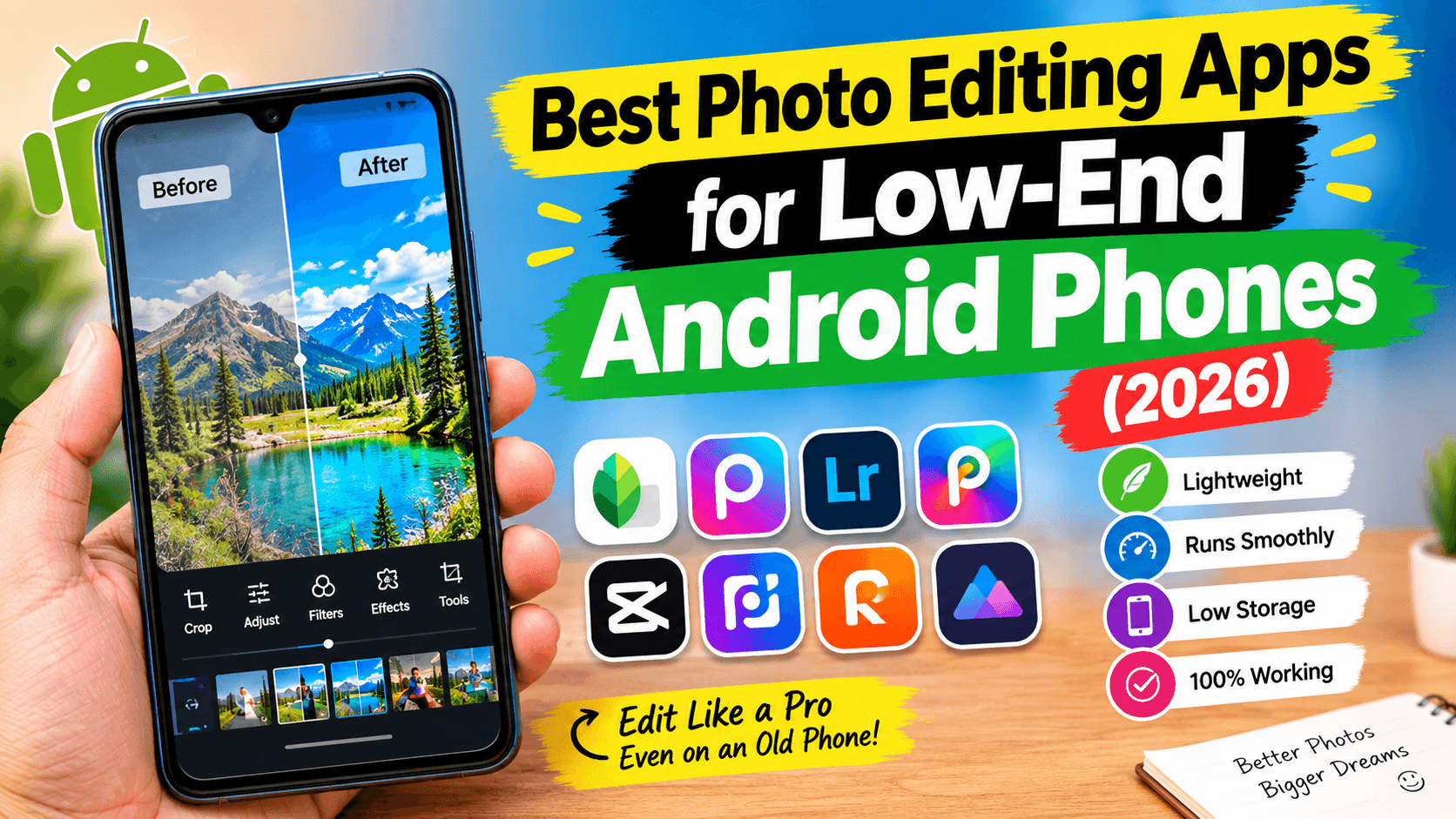
The best photo editing apps for low-end Android phones do not need expensive hardware to deliver impressive results—but finding ones that actually run smoothly on 2GB, 3GB, or 4GB of RAM takes more research than most lists admit.
Millions of people still use budget Android devices, and many popular photo editors feel slow, laggy, or crash altogether on entry-level hardware. The good news is that several lightweight apps are built specifically to handle real editing tasks without slowing your phone down—whether you want to crop photos, adjust colors, remove backgrounds, or enhance selfies.
We picked every app on this list based on real performance factors: app size, RAM requirements, feature load, and how demanding the AI tools are on older processors. Where watermark policies, pricing, or free-tier claims needed a closer look, we have flagged them clearly—several popular apps are more conditional than they appear.
Quick Comparison: Best Photo Editing Apps for Low-End Android Phones
| App | Best For | Works on 2GB RAM | App Size | Free Version |
|---|---|---|---|---|
| Snapseed | Professional editing | Yes. | ~28 MB | Yes—fully free. |
| Google Photos | Quick everyday edits | Yes (64-bit only) | Pre-installed | Yes. |
| Pixlr | Lightweight editing | Yes. | Small | Yes, with limits. |
| Photo Editor – Polish | Social media photos | Yes. | ~29 MB | Yes. |
| InFrame | Instagram & Stories | Yes. | ~54 MB | Yes. |
| Adobe Express | Basic graphic editing | Better on 3GB+ RAM | Medium | Yes—free assets, watermark-free. |
| Instasize | Filters & resizing | Better on 3GB+ RAM | Medium | Yes—basic editing is free. |
| PhotoRoom | Background removal | Better on 4GB RAM | Medium | Yes—but every export is watermarked. |
App sizes and RAM comfort levels can shift with future updates. Ratings reflect general app complexity, not a formal lab benchmark.
What Makes the Best Photo Editing Apps for Low-End Android Phones?
Budget Android phones have limited RAM, slower processors, and less storage than premium devices. Not every photo editing app performs well on them. When choosing apps for this list, we looked for:
- Smooth performance on 2GB–4GB RAM devices
- Fast startup and editing speed
- Small storage footprint
- Free essential editing tools
- Easy-to-use interface with minimal battery consumption
- Regular updates and good user ratings
1. Snapseed—Best Overall Photo Editing App for Low-End Android Phones
Snapseed remains one of the best photo editing apps for low-end Android phones, offering powerful editing features for free. It has received two major updates since the start of 2026. The version 4.0 update in May 2026 added a rebuilt interface, non-destructive editing, batch editing, Smart Masking, a built-in Snapseed Camera with film simulations, and tools including Color HSL, Dehaze, Bloom, and Halation. Version 4.1 in July 2026 then added native RAW support for seven major camera formats—DNG, ARW (Sony), RAF (Fujifilm), NEF (Nikon), CR3 (Canon), ORF (Olympus), and PEF (Pentax)—plus in-tool undo and redo. A follow-up 4.1.1 update added geotagging, original-image preservation, and custom save folders to Snapseed Camera.
Despite all of this added capability, Snapseed continues to run smoothly on many low-end Android devices. The app is completely free—no ads, no subscriptions, no watermarks—which is genuinely unusual for an app at this feature level in 2026.
Key Features
- Professional editing tools: Adjust, Curves, White Balance, Perspective, and 30+ more
- Selective editing and Healing tool for removing unwanted objects
- Non-destructive and batch editing (4.0)
- Smart Masking—one-tap subject or background selection (4.0)
- Built-in camera with real-time film simulations (4.0)
- RAW support across 7 major camera formats: DNG, ARW, RAF, NEF, CR3, ORF, PEF (4.1)
- In-tool undo and redo (4.1)
- Geotagging and custom save folders for Snapseed Camera (4.1.1)
✔ Pros
- Completely free—no watermark, ever, on any export
- No ads, no subscription, no in-app purchases of any kind
- Runs smoothly on many 2GB RAM budget Android phones
- Lightweight at approximately 28 MB
- Two major updates already in 2026—actively developed
✘ Cons
- Gesture-based interface has a short learning curve for first-time users
- No desktop version—mobile only
🎯 Best For: Users who want professional-quality photo editing on a budget Android phone without paying anything or seeing any watermarks.
🟢 Beginner Tip: Start with the Tune Image tool to adjust brightness, contrast, and saturation. Once comfortable, try the Selective tool to brighten just one part of a photo. Those two tools improve most photos significantly.
2. Google Photos — Best Photo Editing App for Low-End Android Phones Already Installed
Google Photos is more than just a gallery app; it includes a fast, lightweight editor that makes it one of the best photo editing apps for low-end Android phones. Since it comes pre-installed on most Android devices, you can edit photos without installing anything extra, saving storage space and system resources.
The app offers AI-powered one-tap enhancement, and Magic Eraser, Photo Unblur, and Portrait Light are now free and unlimited for all users. Magic Editor—the more powerful generative tool that can reposition subjects, change skies, and fill backgrounds—is capped at 10 free edits per month unless you use a Pixel device or have a 2TB+ Google One plan.
One important caveat for this list specifically: Google Photos’ AI features require a 64-bit processor. Many budget Android phones with 2GB RAM use 32-bit chips, particularly older models. If you have a very old or ultra-budget phone, check your processor specifications before relying on Magic Eraser or Photo Unblur. Basic editing features, including brightness, cropping, and color adjustments, work on all compatible devices.
Key Features
- AI Auto Enhance for one-tap brightness, contrast, and color correction
- Magic Eraser—free and unlimited for all users (64-bit processor required)
- Photo Unblur—free and unlimited for all users
- Portrait Light—free and unlimited for all users
- Magic Editor—free for 10 edits per month (unlimited on Pixel or Google One Premium)
- Crop, rotate, color adjustments, and built-in filters
- Cloud backup up to 15GB free
✔ Pros
- Already installed on most Android phones—nothing to download or install
- Lightweight and fast—designed to run on a wide range of devices
- Magic Eraser, Photo Unblur, and Portrait Light are free and unlimited for all users
- No watermark, ever
✘ Cons
- AI features require a 64-bit processor—some ultra-budget or older 2GB RAM phones may not qualify
- Magic Editor limited to 10 free edits per month on non-Pixel devices
- Best Take and Audio Magic Eraser remain Pixel-exclusive
- Fewer advanced manual editing controls than Snapseed or Lightroom
🎯 Best For: Users who want quick, hassle-free photo editing without installing additional software—as long as their phone has a 64-bit processor for AI features.
🟢 Beginner Tip: Tap the Edit button on any photo and hit Auto first. If the result looks good, save it. Magic Eraser works well on photobombers and cluttered backgrounds—tap on what you want removed and let the AI do the rest.
3. Pixlr—Best Lightweight Photo Editing App for Low-End Android Phones
If you are looking for the best photo editing apps for low-end Android phones, Pixlr is a solid choice that balances speed with useful features. It offers a responsive editing experience on devices with 2–3 GB of RAM, along with a clean interface for cropping, color adjustments, filters, collages, and creative effects.
Pixlr also includes AI-powered tools, such as background cutout and removal. However, these features complement the core editor rather than dominate it, allowing you to focus on everyday editing tasks. Standard PNG and JPG exports from the core editor are watermark-free on the free plan, although some AI-generated outputs and premium features may include a watermark on the free tier.
Key Features
- Lightweight and responsive on 2GB RAM devices
- AI background cutout and removal (watermark-free on standard exports)
- Filters, overlays, double exposure, and creative effects
- Collage maker
- Fast export speed
- Runs in browser as well as mobile app
✔ Pros
- Standard exports are watermark-free, including AI background removal
- Fast and responsive on older Android hardware
- Easy-to-use interface with a good selection of filters
- Good choice if you also want browser-based editing on a shared device
✘ Cons
- Ads in the free version
- Some AI features and premium overlays require a subscription (Plus from €1.99/month)
- Heavy AI tasks may slow down on very old hardware
🎯 Best For: Users who want a balance between simplicity and creative editing without slowing down older Android phones.
🟢 Beginner Tip: Use the Auto Fix button for a quick one-tap improvement. The Background Removal tool works without a watermark on the free plan—useful if you need clean product or profile photos without paying.
4. Photo Editor—Polish—Best Beginner-Friendly Photo Editing App for Low-End Android
Photo Editor—Polish (developed by InShot Inc., the same team behind the popular InShot video editor) has become popular among Android users for combining modern editing tools with solid performance on budget smartphones. At approximately 29 MB, it is genuinely lightweight—good news for devices with limited storage.
The app packs AI photo enhancement, background and object removal, beauty retouching, 500+ filters, collage maker, and AI avatar and cartoon styles into a colorful, beginner-friendly interface. Standard exports are saved in high resolution with no watermark, whether you share them on Instagram, Facebook, TikTok, or WhatsApp.
Key Features
- AI Photo Enhancer—restore blurry, pixelated, or low-quality photos instantly
- Background and Object Remover—erase photobombers and distractions
- AI Avatar and Cartoon Styles—turn selfies into creative avatars and trending AI styles
- Beauty retouching—skin smoothing, retouch tools
- 500+ filters, effects, templates, stickers, backgrounds, and fonts
- Collage maker and photo grid layouts
- Quick cutout tool for background swapping
✔ Pros
- Standard exports are watermark-free—confirmed on Google Play listing
- Lightweight at approximately 29 MB—easy on storage-limited devices
- Smooth performance on 2GB and 3GB RAM phones
- 330 million downloads, 4.8-star rating—widely trusted
- Actively developed—version 1.775.263 released July 2026
✘ Cons
- Ads appear occasionally in the free version
- Some premium templates and advanced AI tools require a subscription
🎯 Best For: Students, casual users, and social media creators who want attractive, watermark-free edits with minimal effort on a budget phone.
🟢 Beginner Tip: The AI Photo Enhancer is the quickest way to dramatically improve a low-quality photo. Tap it on any blurry or pixelated image before doing anything else—the result is often good enough to post without any further editing.
5. InFrame—Best Photo Editing App for Low-End Android and Instagram Posts
InFrame is one of the best photo editing apps for people who frequently post on Instagram, Facebook, Pinterest, and TikTok. Instead of overwhelming users with professional controls, it focuses on speed and simplicity—with pre-made aspect ratios for different social platforms so you can resize and crop quickly.
At 54 MB, InFrame is genuinely small and runs comfortably on 2GB RAM devices. It includes stylish frames, filters, blur effects, stickers, text tools, and a collage maker for creating social-ready images within minutes. The app has a 4.9-star rating on Google Play from over 232,000 reviews—one of the highest scores of any photo editor on the platform.
Key Features
- Ready-made social media aspect ratios: 1:1, 9:16, 16:9, 4:5, and more—pre-sized for every platform
- Hundreds of stylish frames for travel, food, holidays, and more
- Blur and color background fills for space around photos
- Filters and effects applied in real time
- Collage maker—combine up to 9 photos with 100+ layout options
- Text editor with large font library and stickers
- Save in high resolution and share directly to Instagram, WhatsApp, Facebook, and more
✔ Pros
- Fast and easy—ideal for anyone who posts frequently on social media
- Small app size (~54 MB)—comfortable on devices with limited storage
- Runs smoothly on 2GB RAM phones
- 4.9 stars from 232K reviews—exceptionally well-rated
- Actively maintained—version 1.8.21 released May 2026
✘ Cons
- Ads in the free version
- Some premium frames and effects require InFrame Pro
- Some users report that Google Photos integration does not work reliably
- Limited advanced editing tools beyond frames, filters, and cropping
🎯 Best For: Anyone who regularly edits and shares photos for Instagram, Facebook, TikTok, or WhatsApp and wants a fast, simple tool that works on a budget phone.
🟢 Beginner Tip: Select your platform aspect ratio first, then import your photo. For Instagram, the 1:1 square preset with a blurred background fill is the most versatile starting point and takes under 30 seconds.
Performance Comparison (General Guidance)
These ratings reflect typical app complexity and feature load, not a formal lab benchmark—treat them as a general guide rather than an exact measurement.
| App | 2GB RAM | 3GB RAM | 4GB RAM | Speed |
|---|---|---|---|---|
| Snapseed | Good | Excellent | Excellent | Fast |
| Google Photos | Good (64-bit only) | Excellent | Excellent | Very fast |
| Pixlr | Good | Excellent | Excellent | Fast |
| Photo Editor – Polish | Good | Excellent | Excellent | Fast |
| InFrame | Good | Excellent | Excellent | Fast |
| Adobe Express | Fair | Good | Excellent | Medium |
| Instasize | Fair | Good | Excellent | Medium |
| PhotoRoom | Poor | Fair | Good | Medium–slow on AI tasks |
6. Adobe Express—Best Photo Editing App for Low-End Android and Quick Graphics
Adobe Express brings Adobe’s editing experience to Android in a simplified format. It includes more features than lightweight editors like Google Photos or Pixlr but remains usable on phones with at least 3GB of RAM. Built-in AI tools make it easy to remove backgrounds, improve image quality, and add professional-looking text or design elements.
The free plan gives you access to 100,000+ templates, over 1 million stock assets, basic editing tools, 5GB storage, and 25 generative AI credits per month. Exports using free templates and assets are clean and watermark-free. The moment you use a premium template or premium stock element, that item carries a watermark until purchased or unlocked with a premium subscription.
Older phones with only 2GB RAM may notice slower performance during AI-heavy tasks, but basic photo editing and template work stay manageable.
Key Features
- Auto Enhance—one-tap brightness, contrast, color, and sharpness improvement
- AI Background Remover—accurate subject isolation, available on the free plan
- AI Image Generation using Adobe Firefly—commercially licensed
- 100,000+ templates and 1M+ stock assets
- 25 free generative AI credits per month
- Text and graphic overlays, resizing, and social media presets
- Firefly AI Assistant — conversational editing across Adobe apps (April 2026)
✔ Pros
- Beginner-friendly—most tools require nothing more than a single tap
- Background removal is free and works accurately
- Free asset export without a watermark
- AI-generated content via Firefly is commercially safe
⚠️ Watermark note — September 2026: Adobe Express’s free plan is not fully watermark-free. Exports using free templates and assets are clean. Premium templates, premium stock photos, and some AI-generated content carry a watermark on the free plan until you upgrade to Premium ($9.99/month). Standard free-asset exports are clean. The free plan includes 25 generative AI credits per month.
✘ Cons
- Premium templates and premium stock content carry a watermark on the free plan
- Requires at least 3GB RAM for a smooth experience—2GB phones may lag on AI tasks
- All AI features require an internet connection—no offline editing
- 25 AI credits per month go quickly if you iterate on multiple designs
🎯 Best For: Bloggers, YouTubers, freelancers, and business owners who create images for websites and social media—and who stay within the free template library.
🟢 Beginner Tip: Stick to templates marked as free (no crown or premium icon) to get clean, watermark-free exports. The Auto Enhance button alone can improve a dull photo dramatically without touching any premium asset.
7. Instasize — Best Photo Editing App for Low-End Android and Social Media Filters
Instasize is a strong choice for users who mainly edit for social media. It combines simple editing tools with 130+ premium-quality filters and a quick resizing workflow, staying usable on most Android phones with 3GB or more RAM.
One important clarification from Instasize’s own pricing page: the core editing tools—resizing, cropping, text, and layers—are completely free with no limits and no credits required. The AI tools (Magic Fill, object removal, background removal, AI image upscaler, and AI image generator) run on credits. The free plan includes a daily credit allowance to test these tools; the $4.99/month plan removes the daily limit entirely.
Key Features
- 130+ filters for photos and videos
- Resizing and cropping presets for Instagram, TikTok, Pinterest, Facebook, and more—free, unlimited
- Magic Fill—AI image expansion to uncrop photos
- Background Remover and AI Background Changer
- Object removal via brush or text prompt
- Image Upscaler (up to 4K)
- AI Image Generator (text to image)
- Face Swap—AI-powered face replacement
- Image-to-video animation tools
✔ Pros
- Core editing (resize, crop, text, layers) is free and unlimited—no credits, no subscription
- 130+ filter selections are some of the best on this list
- Daily free AI credits let you test AI tools before subscribing
- 100 million+ users—well-established and actively maintained (updated Aug 31, 2026)
✘ Cons
- Advanced AI features (Magic Fill, Object Removal, and unlimited Background Removal) require a $4.99/month subscription for unlimited access
- Performs better on 3GB RAM phones—2GB devices may lag on heavier AI tasks
- Some users report occasional export quality issues (blurred or color-shifted results)
🎯 Best For: Users who regularly post photos on Instagram, Pinterest, Facebook, or TikTok and want reliable resizing tools and a great filter selection without paying a subscription.
🟢 Beginner Tip: The resizing tools are free and unlimited—use them to fit any photo to the exact dimensions of your target platform in seconds. Apply filters at 60–70% intensity rather than full strength for a more natural look.
8. PhotoRoom — Best App for Background Removal on Low-End Android (Plan for Pro)
PhotoRoom is one of the best apps for removing backgrounds and creating clean product photos, but it is slightly heavier than the other apps on this list and is most comfortable on Android phones with at least 4GB of RAM. If your phone has 2GB or 3GB of RAM, expect slower processing on AI-heavy tasks.
The honest picture on the free plan: every export carries a PhotoRoom watermark, and per PhotoRoom’s own licensing terms, those images cannot be used commercially. The free plan is a testing environment—useful for evaluating quality before committing to a paid plan, but not a working tool for anyone who needs clean, publishable images.
Beyond background removal, PhotoRoom offers AI shadows, templates, text tools, and batch editing. The H1 2026 update wave brought the multi-product AI Fashion Model, AI Ironing for wrinkle removal, Product Fixer at zero credit cost, a Video Generator with 300+ eCommerce templates, and a Listing Score that evaluates product images before publishing.
Key Features
- AI Background Removal—best-in-class accuracy (70.8% on complex images, independently verified)
- AI Background Replacement—solid colors, AI-generated scenes, or custom images
- AI Shadows—add realistic drop shadows behind products
- Batch Editing—process up to 250 images at once (Pro and above)
- Multi-Product AI Fashion Model (2026)—place up to 4 items on one AI model
- AI Ironing (2026)—smooths wrinkles from clothing photos automatically
- Product Fixer (2026)—correct AI-generated errors at zero credit cost
- Listing Score (2026)—AI scores your product images for marketplace performance
✔ Pros
- Best-in-class background removal accuracy for product photos
- The free plan is genuinely useful for testing quality before subscribing
- Major 2026 updates—AI Fashion Model, AI Ironing, and Product Fixer—all real and confirmed
✘ Cons
- Every free-plan export is watermarked—no exceptions
- Free-plan images cannot be used commercially under PhotoRoom’s own terms
- Free plan capped at 250 exports per month
- Performs best on 4GB RAM—2GB and 3GB phones may lag significantly on AI tasks
- Trustpilot 1.3/5—documented complaints of unexpected charges and weekly billing traps on mobile
- Always subscribe via the web app, not the mobile app, to avoid billing surprises
🎯 Best For: Online sellers, product photographers, and business owners who plan to upgrade to the Pro plan ($7.50/month billed annually) for watermark-free, commercially licensed exports.
🟢 Beginner Tip: Use the free plan to test the background removal quality on your specific product types before subscribing. If the accuracy satisfies you, go to photoroom.com (not the mobile app) to subscribe at the annual rate—it saves approximately 40% versus monthly billing.
How to Choose the Best Photo Editing Apps for Low-End Android Phones
The right app depends on your phone’s hardware and what you actually need to do with your photos.
- For 2GB RAM phones: Snapseed, Google Photos (64-bit processor required for AI), Pixlr, and Photo Editor—Polish are your best bets. All are small, fast, and handle the basics well.
- For 3GB RAM phones: All of the above, plus Adobe Express and Instasize, become comfortable. InFrame is also smooth at 3GB.
- For 4GB RAM phones: PhotoRoom is now viable if you plan to subscribe to the Pro plan for commercial work.
If you only need quick edits like cropping, filters, and brightness adjustments, Google Photos is enough—and it is already installed. If you want professional editing without spending money, Snapseed is the strongest choice on any hardware tier. Content creators posting to Instagram or TikTok should consider InFrame (for framing and aspect ratios) or Instasize (for filters and resizing). For online businesses and product photography, PhotoRoom offers the most advanced AI background removal—just budget for the Pro plan and subscribe via the web.
Frequently Asked Questions
Which Are the Best Photo Editing Apps for Low-End Android Phones?
Snapseed, Photo Editor—Polish, and Pixlr are the strongest options for 2GB RAM phones—all are lightweight, fast, and handle essential editing tools without requiring powerful hardware. Google Photos is also an excellent choice if your phone has a 64-bit processor, which is required for its AI features like Magic Eraser and Photo Unblur.
Are these apps free to use?
All eight apps offer free versions. Snapseed and Google Photos are the most genuinely free—no conditions on core features and no watermarks. Photo Editor and InFrame are free with standard watermark-free exports. Pixlr’s standard exports are also watermark-free. Adobe Express and Instasize are free for core editing but have conditions on advanced tools. PhotoRoom’s free plan watermarks every export and prohibits commercial use—it is effectively a trial.
Which app is the lightest for older Android phones?
Google Photos is pre-installed and adds nothing to your storage. Snapseed is the lightest downloaded option at approximately 28 MB. Photo Editor – Polish follows closely at approximately 29 MB. InFrame is 54 MB—small for a feature set this comprehensive.
Which app is best for Instagram photos?
InFrame and Instasize are both designed with social media creators in mind. InFrame excels at fast framing and aspect ratio cropping for Instagram posts. Instasize is the stronger choice if filters are your priority—it has 130+ options and free unlimited resizing.
Which app offers the best AI features on budget phones?
Snapseed’s 2026 updates (versions 4.0, 4.1, and 4.1.1) brought Smart Masking, RAW support across 7 formats, and batch editing—all free and optimized for mobile. Google Photos’ Magic Eraser and Photo Unblur is excellent for everyday use. For heavier AI tasks like background removal, PhotoRoom is the most accurate—but it needs at least 4GB RAM to run comfortably.
Can I edit RAW photos on a budget Android phone?
Yes. Snapseed supports full RAW editing across seven formats (DNG, ARW, RAF, NEF, CR3, ORF, PEF) since the version 4.1 update in July 2026—completely free. This works on many budget phones, though processing time may be slightly longer on older hardware than on flagship devices.
Which app is best for removing photo backgrounds on a low-end phone?
PhotoRoom is the most accurate for product photography, but it requires 4GB RAM for comfortable use, and its free plan watermarks every export. For a lighter, genuinely free option, Pixlr’s background removal works on 2GB RAM phones and exports without a watermark on the standard free plan. Photo Editor – Polish also includes a background remover with watermark-free exports.
Do these apps add watermarks?
Snapseed, Google Photos, Pixlr (standard exports), and Photo Editor—Polish do not watermark standard edits. InFrame does not watermark standard exports either. Adobe Express watermarks premium templates and premium stock content on the free plan—standard free-asset exports are clean. Instasize does not watermark standard exports. PhotoRoom watermarks every free-plan export without exception—the free plan is not suitable for any commercial or publishable use.
Final Verdict: Best Photo Editing Apps for Low-End Android Phones (2026)
Low-end Android phones can still produce great-looking photos when paired with the right photo editing app for low-end Android phones. If you want the best all-around experience, Snapseed remains the top recommendation—powerful editing tools, smooth performance on budget hardware, completely free, and the 2026 updates (versions 4.0, 4.1, and 4.1.1) have made it the most capable it has ever been.
For everyday users who prefer quick edits without installing anything new, Google Photos is hard to beat—fast, AI-enhanced, and completely free. Just confirm your phone has a 64-bit processor if you plan to use Magic Eraser or Photo Unblur, as these AI tools do not work on 32-bit chips.
If social media content is your focus, InFrame and Instasize provide creative tools without requiring expensive hardware. Photo Editor—Polish is a strong choice for beginners who want a wide range of filters and effects in a lightweight, watermark-free app. For online businesses and product photography, PhotoRoom offers the most advanced AI background removal—but plan for the Pro subscription and always subscribe via the web app to avoid billing surprises.
No matter which app you choose, even an affordable Android phone can produce impressive results with the right editing tools.
This article was fact-checked against official app store listings, developer pages, and pricing pages as of September 5, 2026. App features, pricing, and watermark policies change frequently—always confirm current terms on the app’s official page before publishing content built with it.
For more informative blogs, visit us at uwaimlearninghub.com.