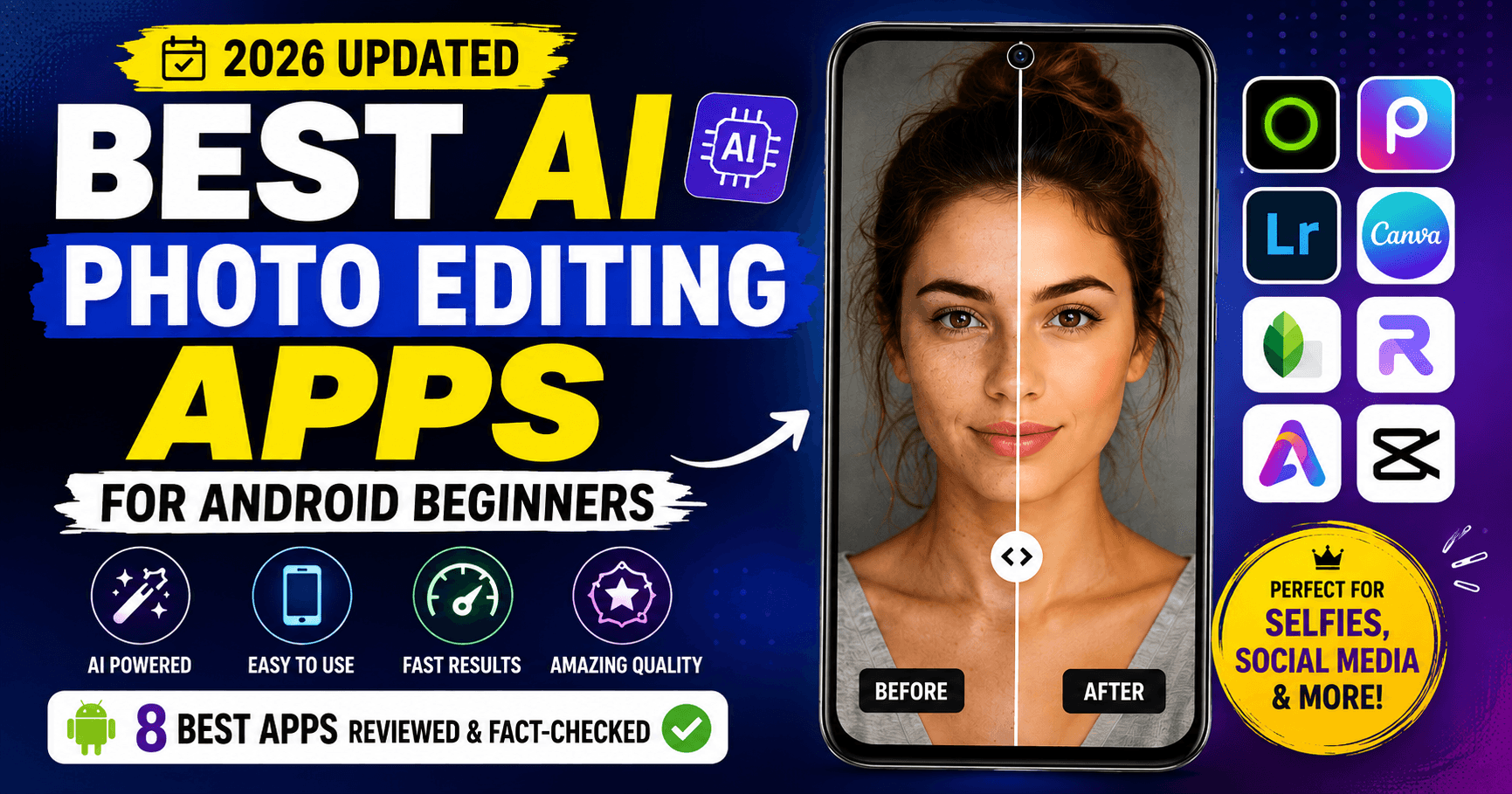
Finding the best AI photo editing apps for Android beginners used to mean downloading five different apps and hoping one of them worked. In 2026, artificial intelligence has simplified that search considerably—but it has also created a new problem: every app on the Play Store now claims to be AI-powered, even when the AI is little more than a filter with a fancier name.
This guide helps you find the best AI photo-editing apps for Android beginners, based on features, ease of use, free access, and real-world use cases. In August 2026. Features that have changed, been paywalled, rebranded, or significantly updated since earlier reviews are clearly flagged—including one app that changed its name entirely.
Whether you want to enhance a selfie, restore an old family photo, create product images for your online store, or build social media content from scratch—there is an app on this list that does it well.
If you’re also looking for traditional photo editing tools without AI features, check out our guide to the 8 Best Free Photo Editing Apps for Android Beginners (2026)
Quick Comparison: Best AI Photo Editing Apps for Android Beginners
| App | Best For | Free Version | AI Strength | Beginner Friendly |
|---|---|---|---|---|
| Lensa | Selfies & AI Avatars | Limited | ⭐⭐⭐⭐⭐ | ⭐⭐⭐⭐⭐ |
| PicsArt | Creative Editing & Social Media | Yes | ⭐⭐⭐⭐⭐ | ⭐⭐⭐⭐⭐ |
| Adobe Express | Graphics & Social Media | Yes | ⭐⭐⭐⭐ | ⭐⭐⭐⭐⭐ |
| Canva | Design & Content Creation | Yes, limited AI | ⭐⭐⭐⭐ | ⭐⭐⭐⭐⭐ |
| PhotoRoom | eCommerce Product Photos | Limited | ⭐⭐⭐⭐⭐ | ⭐⭐⭐⭐⭐ |
| Remini | Old & Blurry Photo Restoration | Limited | ⭐⭐⭐⭐⭐ | ⭐⭐⭐⭐⭐ |
| Pixa (formerly Pixelcut) | Product Photography | Yes | ⭐⭐⭐⭐⭐ | ⭐⭐⭐⭐⭐ |
| Hypic | AI Filters & TikTok Content | Yes | ⭐⭐⭐⭐ | ⭐⭐⭐⭐⭐ |
If you’re looking for the best AI photo editing apps for Android beginners, this comparison gives you a quick way to see which app fits your needs.
What Makes a Good AI Photo Editing App for Beginners?
Not every AI photo editor is built for the same purpose. For example, some restore old photos, while others specialize in social media content, background removal, or avatar generation.
Before downloading anything, it helps to know what you are looking for.
A good AI photo editing app for Android beginners should:
- Produce noticeable results without requiring technical knowledge
- Offer useful features in the free version—not just locked previews
- Process images quickly without crashing or excessive delays
- Work reliably across a range of Android devices
- Be honest and upfront about what requires a paid subscription
The eight apps below were selected because they meet most or all of these criteria.
Where an app falls short, we say so clearly.
If watermark-free exports are a priority for you, check out our guide to the 10 Best Photo Editing Apps Without Watermarks (Free & Paid) – 2026.
1. Lensa—Best AI Photo Editing App for Android Beginners
There are portrait apps, and then there is Lensa. Since its viral moment in late 2022, Prisma Labs has continued refining what started as a simple AI avatar generator into a full portrait editing platform.
The core appeal has not changed: upload a photo, and Lensa’s AI smooths skin naturally, sharpens eyes, corrects lighting, and produces results that look professionally retouched without the tell-tale over-processed look cheaper apps produce. What has changed is how much more you can do from a single photo.
The biggest 2026 update is single-photo avatar generation. Previously, you needed to upload 10 to 20 selfies. Quality is lower with one photo, but the barrier to entry is gone. In addition, Couple Avatars, new Magic Effects, new styles like Kawaii and Iridescent, and a Sky adjustment tab round out the recent additions.
However, the honest caveat is that Lensa monetizes aggressively. The subscription covers the app, but avatar packs are sold separately at $5.99–$7.99 per pack. User reviews in 2026 also consistently note that avatar results can be inconsistent—distorted hands or faces that do not resemble the subject.
Key AI Features:
- AI Portrait Enhancement: One-tap skin smoothing, blemish removal, eye sharpening, and lighting correction.
- Magic Avatars: Generate artistic avatars across anime, sci-fi, old money, Hollywood, Kawaii, and Iridescent styles.
- Single-Photo Avatars (2026): One selfie is now enough—no more uploading
20 photos. - Couple Avatars (2026): Generate stylized images with a partner.
- New Magic Effects (v6.3.6): Drop a photo, pick a vibe, and watch it transform—multiple new effect styles added.
- Sky Tab (NEW): Adjust sky exposure, contrast, and hue in outdoor shots.
- Background Blur: One-tap AI bokeh effect.
- Object Removal: Remove distractions with a simple brush.
- AI Style Presets: Hollywood, Old Money, Film, VHS, Kawaii, Iridescent.
Pros:
✔ Best natural-looking portrait retouching on this list.
✔ Single-photo avatar mode removes the biggest barrier to entry.
✔ Actively developed—version 6.3.6 released July 2026.
✔ Simple interface—no learning curve required.
Cons:
✘ The free version is essentially a demo—most AI features require payment.
✘ Avatar packs are sold separately at $5.99–$7.99 per pack, on top of the subscription.
✘ User reviews report inconsistent avatar results—distorted faces and hands are a common complaint.
✘ No desktop version—mobile only.
Best For:
Selfie enthusiasts, influencers, and anyone who wants AI-generated portrait enhancement and avatar art.
Beginner Tip:
Try the portrait mode first—it is partially available in the free version and gives you a realistic sense of quality before paying for avatar packs.
2. PicsArt—Best AI Photo Editing App for Android Creative Editing
PicsArt has been around for over a decade, but it looks nothing like it did when it launched. What started as a community photo editor has evolved into one of the most comprehensive AI-powered creative platforms on Android.
The first half of 2026 brought two genuinely innovative additions. Aura, launched in February 2026, is a voice-first AI assistant—speak or type what you want. Aura creates images, applies edits, and generates videos in one conversation, learning your style preferences over time.
The AI Agent Marketplace, launched in March 2026, goes further: specialized AI agents, accessible via WhatsApp and Telegram, handle specific tasks automatically. Flair integrates with Shopify, Resize Pro handles platform-specific formatting, Remix does style transfers, and Swap manages background changes.
However, the catch is the free version. Ads appear frequently. Ads appear frequently, and most powerful AI tools require a Gold subscription. The free tier covers basic editing and templates, but you will hit a paywall quickly if you want unlimited AI generation.
Key AI Features:
- AI Replace: Brush over any object and describe what to put in its place.
- Background Remover: One-tap subject isolation, used in over 700 million edits.
- AI Image Generator: Create original images from a text description.
- AI Expand: Extend photo edges with AI-generated content.
- AI Object Removal: Erase distractions by describing or brushing over them.
- AI Image-to-Video: Turn still photos into short animated clips.
- Aura AI Assistant (Feb 2026): Voice or text conversation to create, edit, and generate images and video. Learns your style over time.
- AI Agent Marketplace (Mar 2026): Flair (Shopify), Resize Pro, Remix, Swap—accessible via WhatsApp and Telegram.
Pros:
✔ Widest collection of AI tools in any single app on this list.
✔ Aura makes complex multi-step editing as easy as a voice command.
✔ AI Agent Marketplace is genuinely innovative—no other photo app does this yet.
✔ Works across web, iOS, Android, Windows, and Mac.
✔ Templates update weekly to reflect current social media trends.
Cons:
✘ Ads appear frequently in the free version.
✘ Most powerful AI features require a Gold subscription from $10.50/month.
✘ The interface can feel overwhelming for complete beginners on first use.
Best For:
Content creators, social media managers, YouTubers, and small business owners who produce visual content regularly.
Beginner Tip:
Skip the AI tools on your first session. Start with the Adjust and Effects panels. After a few standard edits, you will know exactly which AI tools to try next.
3. Adobe Express—Best AI Photo Editing App for Android Graphics
Adobe Express is what happens when you take Adobe’s decades of design expertise and strip away everything that makes it complicated. As a result, beginners can create professional-looking graphics more easily. No layers, no blend modes, no histograms—just clean templates, fast AI tools, and results that genuinely look professional.
The April 2026 Firefly AI Assistant update was the biggest change of the year: describe what you want in plain English, and the assistant orchestrates edits across Express, Photoshop, Premiere, Lightroom, and Illustrator without switching apps. A notable addition alongside this: Firefly now gives access to 25+ top AI models, including Runway’s Gen-4.5, Black Forest Labs’ Flux.2 [pro], Google’s Nano Banana 2, and OpenAI’s Image Generation—all commercially safe options within one interface.
The free tier remains one of the more honest on this list. Background removal works without a subscription, and the core template library is large enough to be genuinely useful without going Pro.
Key AI Features:
- Auto Enhance: One-tap brightness, contrast, color, and sharpness improvement.
- AI Background Remover: Accurate subject isolation, available free.
- AI Background Changer: Replace backgrounds with Adobe Stock images or AI-generated scenes.
- AI Image Generation: Create images from text using Adobe Firefly—commercially licensed.
- Generative Fill (Premium): Add, replace, or extend image areas using natural language.
- Insert Objects (NEW): Place AI-generated elements into existing photos seamlessly.
- Remove Objects (NEW): Remove elements with Generative Fill in one step.
- Generate Template (NEW): AI builds fully editable templates from a text description.
- Firefly AI Assistant (Apr 2026): Conversational orchestration across Adobe apps without switching.
- 25+ Third-Party AI Models (2026): Runway Gen-4.5, Flux.2 [pro], Google Nano Banana 2, OpenAI Image Generation—all within Express.
Pros:
✔ Easiest app on this list for complete beginners.
✔ AI-generated content via Firefly is commercially safe—trained on licensed images.
✔ Background removal is free and works accurately.
✔ 25+ AI models give more creative style options than any other single app.
✔ Works on Android, iOS, and web with synced projects.
Cons:
✘ Generative Fill, Insert Objects, and video tools require a Creative Cloud subscription.
✘ All AI features require the internet—no offline editing.
✘ AI image generation uses generative credits—heavy users will hit limits on the
free tier.
Best For:
Students, bloggers, marketers, and small business owners who create social media posts and promotional images regularly.
Beginner Tip:
Start with a template. Pick one for your use case, customize the text and image, and you will have something publish-ready in under three minutes.
4. Canva—Best AI Photo Editing App for Android Content Creation
Canva started as a drag-and-drop tool for people who could not afford a graphic designer. In 2026, it is something much more ambitious. The April 2026 launch of Canva AI 2.0 introduced the world’s first design-specific AI foundation model—the Canva Design Model—along with conversational design, persistent memory across sessions, and six new intelligent workflows.
In addition, Magic Layers, launched March 2026, solves a real problem that no other mainstream tool addresses: AI-generated images are usually flat and uneditable. Upload any flat image—including one generated by ChatGPT or Midjourney—and Magic Layers automatically separates it into editable layers. You can change fonts, colors, and positions directly.
One important correction from earlier reviews: the free plan does not offer 50 AI uses per month. The accurate figure is 20 Premium AI credits per month (for Dream Lab image generation and Magic Design). Canva AI 2.0’s conversational design feature requires Ultra AI credits, which are not included in the free plan at all—only paid users get these, and even then at approximately 20 Ultra credits per month.
Key AI Features:
- Magic Design: Describe what you want, and Canva generates 8–10 fully
designed layout options. - Dream Lab: Text-to-image generator — 500 monthly generations on Pro.
- Magic Edit: Select any area of a photo and describe what to replace or add.
- Magic Eraser (Pro): Brush over unwanted objects, and the AI removes them naturally.
- Magic Expand (Pro): Extend image borders with AI-generated content.
- Background Remover (Pro): One-click subject isolation.
- Magic Switch: Convert any design into 50+ platform-specific formats automatically.
- Magic Write: AI text generation for captions, headlines, and short copy (18 languages).
- Magic Layers (Mar 2026): Convert any flat image—including AI-generated ones—into a fully editable layered design file.
- Canva AI 2.0 Conversational Design (Apr 2026): Describe complex multielement designs in natural language—requires Ultra AI credits, paid users only.
Pros:
✔ Most accessible design tool for complete beginners—nothing else comes close.
✔ Magic Layers solves a genuine workflow problem: AI-generated images are usually flat and uneditable.
✔ Over 3.6 million premium templates.
✔ Cross-device syncing across Android, iOS, and web.
✔ Dream Lab AI-generated content is commercially licensed.
Cons:
✘ Free plan limited to only 20 premium AI credits per month—not the 50 stated in some earlier reviews.
✘ Canva AI 2.0 conversational design requires Ultra AI credits—not available on the free plan.
✘ Canva Pro is $15/month billed monthly; Magic Eraser, Background Remover, and Magic Expand are Pro-only.
✘ For complex photo editing—RAW processing, advanced masking—Lightroom or Photoshop are still stronger.
Best For:
Students, bloggers, YouTubers, marketers, and small business owners creating visual content for social media, presentations, or marketing materials.
Beginner Tip:
On the free plan, your 20 Premium AI credits go fast. Use Magic Design for complete layout generation rather than Dream Lab for individual images—you get more usable output per credit.
5. PhotoRoom—Best AI Photo Editing App for Android Product Photos
PhotoRoom was built for one specific problem: making product photos look professional without a photography studio, a camera crew, or a design background. If you sell anything online—on Amazon, Etsy, Shopify, or anywhere else—this app will change how you work.
The background removal is genuinely the best available on Android, verified by independent benchmarks: PhotoRoom scores 70.8 percent accuracy on complex product images versus Remove.bg’s 41.7 percent. That gap matters when you are processing hundreds of photos.
The first half of 2026 brought features no other AI photo app for eCommerce offers. The multi-product AI Fashion Model lets you place up to four clothing items on a single AI model in one generation, available across three quality tiers. Product Fixer corrects AI-generated image errors with one brush stroke at zero credit cost. The 250-image batch processor handles entire catalogs at once.
Key AI Features:
- AI Background Removal: Best-in-class accuracy—handles hair, jewelry, and transparent objects reliably (70.8% accuracy, verified).
- AI Background Replacement: Swap to solid colors, AI-generated scenes, or custom images
- AI Shadows: Add realistic shadows so products do not look like floating cutouts.
- AI Batch Editing: Process up to 250 images at once with identical settings.
- Multi-Product AI Fashion Model (2026): Place up to 4 clothing items on a single AI model—Standard (1K), Advanced (2K), and Premium (4K) tiers.
- AI Ironing (2026): Automatically smooths wrinkles from clothing—batch processes entire garment catalogs.
- Product Fixer (2026): Correct AI-generated image errors with one brush stroke at zero credit cost
- Video Generator (2026): Turn product photos into short video clips using 300+ eCommerce templates.
- Listing Score (2026): AI analyzes product images and scores marketplace performance before you publish.
- PhotoRoom MCP for Claude (2026): Connect PhotoRoom image editing directly to AI workflows via Claude.
Pros:
✔ Most accurate background removal in any mobile app, verified by third-party benchmarks.
✔ Multi-product Fashion Model eliminates model photography costs.
✔ Sellers report a median 30% sales increase—one brand achieved 200%.
✔ Product Fixer at zero credit cost is a genuine differentiator.
Cons:
✘ The free plan includes a watermark, and images cannot be used commercially under PhotoRoom’s own terms—effectively a trial, not a usable free tier.
✘ Advanced features require a Max or Ultra subscription for 4K quality and larger batch volumes.
✘ Not suitable for general photo editing, portrait work, or social content—built specifically for product photography.
Best For:
Online sellers, Amazon and Etsy store owners, Shopify brands, fashion sellers, and freelancers who professionally produce product images.
Beginner Tip:
Start with a single product on a white surface. PhotoRoom will remove the background and add a shadow in one tap. Use Listing Score before publishing—it often catches issues you would miss.
6. Remini—Best AI Photo Editing App for Android Photo Restoration
Remini does one thing better than any other app on this list: it takes a bad photo and makes it look dramatically better. For example, old family photos from the 1970s can look much clearer after enhancement. Blurry screenshots become sharp. Low-resolution images suddenly have detail that was not visible in the original.
The technology is a deep learning model trained specifically for face restoration. After integrating Google’s AI models in late 2024, the results on portrait restoration improved noticeably. Feed it a photo with a recognizable face, and the AI reconstructs facial details, sharpens edges, removes grain, and corrects colors—all in a single tap.
However, the honest downside in 2026 is the monetization model. The free tier has daily limits and requires watching ads to export. Multiple 30-second ads within a single editing session is a consistent complaint in current user reviews. Weekly billing at $6.99–$9.99 annualizes to more than Photoshop. The yearly plan at approximately $50 is the only sensible option for regular use. Also worth noting: the web subscription and mobile subscription are entirely separate—paying for one does not unlock the other.
Key AI Features:
- AI Photo Enhancement: One tap turns blurry, grainy, or low-resolution images into sharp HD.
- AI Face Enhancement: Specifically trained on facial detail reconstruction—eyes, skin, and hair all benefit.
- AI Image Upscaling: Increases resolution and adds genuine detail rather than just enlarging pixels.
- AI Photo Restoration: Repairs old, scratched, faded, or damaged photos.
- AI Denoise: Removes grain and digital noise from low-light images.
- AI Color Correction: Restores accurate colors in faded old photos.
- AI Video Enhancement: Applies the same restoration process to video files.
- AI Face Recovery: Reconstructs heavily blurred or unrecognizable faces.
- Viral AI Features: AI Baby, AI Yearbook (retro 80s/90s portraits), AI Couple, AI Future You—updated regularly.
Pros:
✔ Best AI photo restoration on Android—no other app comes close for face-focused enhancement.
✔ Results on old family photos can be genuinely emotional—blurry faces from decades ago become clear.
✔ Video enhancement is a rare feature—most competitors only do photos.
✔ Simple one-tap workflow—upload, enhance, download.
Cons:
✘ The free version is heavily ad-supported—multiple 30-second ads per session reported by users in 2026.
✘ Weekly pricing ($6.99–$9.99) annualizes to more than Photoshop—the yearly plan (~$50) is far better value.
✘ Web and mobile subscriptions are entirely separate—one does not unlock the other.
✘ Limited manual editing controls—it is an enhancer, not a full editor.
Best For:
Anyone who wants to restore old family photos, improve blurry images, or sharpen portraits with minimal effort.
Beginner Tip:
Try one enhancement on the free version before subscribing. If the result impresses you, go straight to the yearly plan—the weekly rate is not worth it for regular use.
7. Pixa (formerly Pixelcut)
One important update before the review: Pixelcut rebranded to Pixa on March 3, 2026, and moved its website to pixa.com. The Google Play listing still shows ‘Pixelcut AI Photo Editor’ during the transition, but the product, features, and team are the same. If you search for either name, you will find the same app.
Since then, what started five years ago as a background removal tool has grown into a full AI creative workspace—one that now serves 15 million monthly active users processing over 100 million images per month. The majority are online sellers who need professional product visuals without a studio budget.
The appeal is straightforward: upload a product photo, and Pixa handles the rest. Background removed, clean backdrop added, image sharpened. The ChatGPT Image Generation integration (added in 2025, still active in 2026) takes it further—describe a product scenario in text, and Pixa generates the lifestyle image instantly. No photographer, no model, no studio.
Key AI Features:
- AI Background Removal: Instantly removes backgrounds from photos and videos—handles hair, jewelry, and transparent products
- AI Product Photography: Generate professional product images from a phone photo
- Magic Eraser: Remove objects, people, text, or watermarks with natural-looking results
- Image Upscaler: Enhance photos up to 4K, 8K, or 16K resolution with genuine detail added
- AI Shadow Generator: Add realistic drop or ground shadows behind products
- AI Background Generator: Generate photorealistic backgrounds from a text description
- Batch Editor: Process up to 10,000 images at once
- ChatGPT Image Generation (active 2026): Describe a product scenario, and Pixa generates the lifestyle photo instantly
- AI Actors: Showcase products on photorealistic AI-generated models—create UGC-style videos without a studio
- Video Background Remover (Jan 2026): Remove video backgrounds without a green screen
- Magic Writer: AI copywriter (OpenAI) for product descriptions, captions, and hashtags
Pros:
✔ Background removal and image upscaler remain free—genuinely useful without subscribing.
✔ ChatGPT Image Generation is impressive for lifestyle product photography.
✔ 10,000-image batch processing is industry-leading.
✔ Cross-platform: Android, iOS, and web with synced editing.
Cons:
✘ Rebranded to Pixa in March 2026—some older links, reviews, and app store listings still use the Pixelcut name.
✘ Requires internet for all AI features—no offline editing.
✘ The credit system can frustrate heavy users on the free tier.
✘ Not a full photo editor—limited manual controls.
Best For:
Online sellers, eCommerce brands, Amazon and Shopify store owners, and content creators who need professional product images quickly and at scale.
Beginner Tip:
Try the ChatGPT Image Generation feature first—describe your product in a lifestyle setting. If the result is what you were hoping for, the Pro plan will pay for itself quickly.
8. Hypic—AI Photo Editing App for Android Beginners
Hypic is developed by ByteDance—the company behind TikTok and CapCut. As a result, the filters reflect current TikTok aesthetic trends, the export options are sized for Stories and Reels, and the app connects directly to TikTok and CapCut for seamless cross-app workflow.
For portrait editing and aesthetic filters, Hypic punches above its weight. The AI beauty tools are precise and controllable—skin smoothing, facial reshaping, teeth whitening, and virtual makeup all work with sliders rather than one-tap presets, giving more control than most apps at this price point.
The free tier is genuinely functional—not just a locked demo. Core editing, filters, and templates are available without paying. At $29.99/year, the Pro plan is the most affordable on this list at an effective $2.50/month. However, user reviews in 2026 consistently note that previously free features are progressively moving behind the paywall, which has eroded trust among long-term users.
Key AI Features:
- AI Portrait Enhancement: One-tap improvement for skin, eyes, lighting, and facial features.
- AI Object Removal: Erase people, objects, or distractions from photos.
- AI Background Replacement: Remove and swap backgrounds with AI-generated scenes or solid colors.
- AI Filters: Trending aesthetic styles—retro film, clean girl presets, soft glow, vintage grain.
- AI Beauty Tools: Skin smoothing, facial reshaping, teeth whitening, and virtual makeup—controllable with sliders.
- AI Smart Cutout: Precise subject isolation for transparent background exports.
- AI Lighting Effects: Adjust shadows, highlights, and atmosphere in portraits.
- No-face Effect (2026): Remove faces from group shots for privacy or creative purposes.
- Batch Edit and Collage: Edit multiple photos at once and create multi-photo layouts.
- TikTok and CapCut Integration: Direct export to other ByteDance apps.
Pros:
✔ Filters reflect current TikTok and Instagram trends—updated regularly.
✔ Portrait editing looks natural even at higher beauty settings.
✔ The free tier is genuinely usable, not just a locked demo.
✔ The pro plan at $29.99/year is the most affordable on this list.
✔ Version 9.2.0 confirmed late July 2026—actively maintained.
Cons:
✘ ByteDance ownership raises privacy questions—photos are processed via cloud servers.
✘ User reviews in 2026 report previously free features being progressively moved behind a paywall.
✘ Fewer advanced manual editing controls than Lightroom or Snapseed.
✘ Not suitable for product photography or serious photo restoration.
Best For:
TikTok creators, Instagram users, and portrait enthusiasts who want trend-aware AI editing with a beginner-friendly interface and seamless TikTok/CapCut integration.
Beginner Tip:
Browse the filter collection first—Hypic updates them frequently. Apply any filter at 60–70% intensity for a natural look; full strength tends to look overdone on most photos.
How We Selected the Best AI Photo Editing Apps for Android Beginners
With hundreds of AI photo editing apps on the Google Play Store, we used a specific
set of criteria to identify the eight most useful and honest options for beginners.
Every app was evaluated on:
- AI editing accuracy—does it actually deliver what it promises?
- Free version value—can you do something genuinely useful without paying?
- Beginner friendliness—can someone figure it out in under five minutes?
- Processing speed and reliability on standard Android devices
- Transparency about pricing—are paid features clearly labelled?
- Update cadence—is the app actively maintained and improving?
- Real user review sentiment in 2026, not just average store ratings
We ran a full fact-check on August 6, 2026, to verify every feature listed. Corrections
from earlier versions of this article are clearly marked throughout, including version
numbers, user counts, pricing details, and the Pixelcut rebrand to Pixa.
How to Choose the Best AI Photo Editing Apps for Android Beginners
No single app is best for everyone. Instead, your choice should depend on what you plan to do with your photos.
- Choose Lensa if your main goal is improving selfies and portraits or generating unique AI avatars from your photos.
- Choose PicsArt if you create social media content regularly and want AI tools that cover image generation, video, and creative design all in one place.
- Choose Adobe Express if you want fast, professional-looking graphics with minimal effort and access to 25+ commercially safe AI models.
- Choose Canva if you create presentations, YouTube thumbnails, social posts, or any kind of designed visual content—note the free plan’s actual AI limit is 20 Premium credits per month.
- Choose PhotoRoom if you sell products online and need consistency
professional images without a photography studio. - Choose Remini if you have old, blurry, or damaged photos to restore. Go straight to the yearly plan—the weekly rate is not good value.
- Choose Pixa (formerly Pixelcut) if you run an eCommerce store and need fast, scalable product photography with AI lifestyle generation.
- Choose Hypic if you create content for TikTok or Instagram and want trend-aware filters with seamless ByteDance app integration.
Frequently Asked Questions:
1. Which are the best AI photo editing apps for Android beginners in 2026?
For beginners, the best AI photo editing apps for Android depend on whether you want portrait editing, photo restoration, social media design, or product photography.
There is no single answer because different apps excel at different things. Lensa is the best for portrait editing and avatars. PicsArt offers the widest range of creative AI tools. Remini is unmatched for restoring old or blurry photos. PhotoRoom and Pixa (formerly Pixelcut) are the top choices for product photography. For complete beginners who want an all-around option, Canva or Adobe Express are the most approachable.
2. Are these AI photo editing apps free to use?
Most offer a free version, but what is actually free varies significantly. PicsArt, Canva, Adobe Express, Pixa, and Hypic all have functional free tiers. Lensa and Remini offer limited free access with ads and daily caps. PhotoRoom’s free plan adds a watermark and cannot be used commercially under its own terms—making it effectively a trial. For serious or regular use, a paid plan unlocks a noticeably better experience on almost every app here.
3. Which AI app is best for removing backgrounds on Android?
PhotoRoom is the most accurate background remover in this group, verified by independent benchmarks at 70.8 percent accuracy. For product photography specifically, it handles complex edges like hair, fur, and transparent objects better than any alternative. Pixa and Adobe Express are also strong for social media content where pixel-perfect accuracy is less critical.
4. Which app can improve blurry or old photos?
Remini is the clear leader for this use case. Its AI is trained specifically on face restoration, and the results on old or blurry photos can be remarkable. Pixa’s Image Upscaler also does solid work for product images. For general sharpening, Hypic and Lensa both offer AI enhancement, but neither matches Remini for restoration quality.
5. Which AI photo editing app is best for Instagram in 2026?
PicsArt, Canva, and Hypic are all strong choices. PicsArt has the widest range of creative tools, including templates, stickers, and AI generation. Canva is best if your Instagram involves designed graphics, carousels, or branded visuals. Hypic is the most current in terms of aesthetic trends—its filters consistently reflect what is popular on TikTok and Instagram right now.
6. Are AI photo editing apps safe to use?
Apps from established developers with clear privacy policies are generally safe for personal photo editing. Worth knowing: Remini, PhotoRoom, and Pixa all process images on cloud servers—your photos are temporarily uploaded for AI processing. Adobe Express and Canva are clear that images are not used for AI training without explicit opt-in. Hypic is developed by ByteDance and carries the same privacy considerations as TikTok and CapCut. For sensitive personal photos, a local-only editor like Snapseed is safer.
7. Do these AI photo editing apps add watermarks?
Pixa’s free plan does not watermark standard exports. PicsArt, Canva, and Adobe Express do not watermark basic edits on the free plan. Remini adds watermarks to free downloads and requires watching an ad to save. PhotoRoom watermarks free exports and prohibits commercial use on the free tier. Lensa watermarks free avatar exports. Always check the current free-tier terms before assuming your export is watermark-free.
8. Which AI app is best for absolute beginners?
Adobe Express and Canva are the most beginner-friendly apps on this list. Both are designed around the idea that you should not need to know anything about photo editing to get a professional-looking result. Be aware that Canva’s free plan offers only 20 premium AI credits per month—not the 50 that some older reviews state.
9. Did Pixelcut change its name?
Yes. Pixelcut rebranded to Pixa on March 3, 2026, and moved its website from pixelcut.ai to pixa.com. The Google Play listing still shows ‘Pixelcut AI Photo Editor’ during the transition. If you search for either name, you will find the same product. All existing features, accounts, and workflows carried over.
10. What is the most affordable paid plan on this list?
Hypic offers the most affordable Pro plan at $29.99/year, which works out to approximately $2.50/month. Pixa Pro is $10/month. PicsArt Gold starts at $10.50/month billed annually. Canva Pro is $15/month billed monthly or approximately $10/month billed annually. Remini’s weekly plan ($6.99–$9.99) is the most expensive per use—the yearly plan at approximately $50 is far better value.
Final Verdict: Best AI Photo Editing Apps for Android Beginners (2026)
AI has genuinely changed what is possible with a smartphone and a free app. Tasks that required professional software and real skills three years ago can now be done in seconds by anyone. That is not marketing language—it is simply what these tools can do now.
The best AI photo editing apps for Android beginners in 2026 were chosen because they deliver on that promise honestly. They are actively maintained, well-reviewed by real users, and every feature listed has been verified as of August 6, 2026.
If you are just getting started, pick one app that matches your main use case and use it for a week before adding another. The best editing app is the one you actually enjoy using.

3 Comments on “Best AI Photo Editing Apps for Android Beginners (2026)”